



Make and receive business calls directly from your CRM, desktop or mobile. Brightcall combines CTI, Power Dialer, call routing and transfers, live transcription, recordings and analytics in one cloud contact center platform.
We are trusted by hundreds of companies


Connect contacts, knowledge, calendars and call outcomes with the tools your team uses. Keep the next step moving without losing the context of the conversation.
Real feedback from teams using Brightcall every day.
Brightcall’s instant callback feature transformed the way we handle inbound leads. We’re connecting with customers faster, booking more sales calls, and converting more website visitors into real buyers.

Brightcall’s instant callback feature transformed the way we handle inbound leads. We’re connecting with customers faster, booking more sales calls, and converting more website visitors into real buyers.


Brightcall’s instant callback feature transformed the way we handle inbound leads. We’re connecting with customers faster, booking more sales calls, and converting more website visitors into real buyers.

Brightcall’s instant callback feature transformed the way we handle inbound leads. We’re connecting with customers faster, booking more sales calls, and converting more website visitors into real buyers.

Brightcall’s instant callback feature transformed the way we handle inbound leads. We’re connecting with customers faster, booking more sales calls, and converting more website visitors into real buyers.
Give your team more time for the conversations that matter.
BOOK A DEMOA demo built around your team.

Clear answers about Brightcall Dialer, campaigns, calling cadence, local caller ID, CRM connections and getting your team started.
What is Brightcall Dialer?
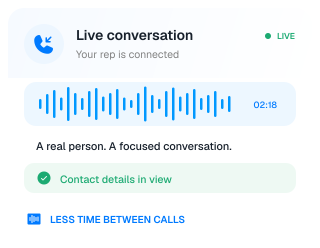
Brightcall Dialer is a calling workspace for sales teams. It organizes campaign contacts, automates dialing and keeps call outcomes connected to your workflow.
How is Dialer different from AI Agent?
With Dialer, your sales reps have the conversation while Brightcall handles the dialing workflow. AI Agent conducts configured voice conversations itself and can hand calls over to your team.
How do I add contacts to a campaign?
Import an Excel or CSV list, or bring contacts into a project through a supported CRM integration or automation. Assign the project to the reps who will make the calls.
Do reps need to dial each number manually?
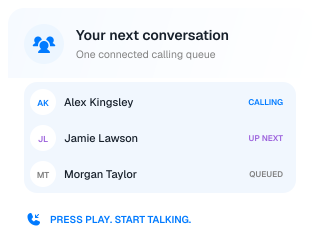
No. Reps select their assigned project and start auto-dialing. Brightcall moves through the contact list, while the rep can stop the calling session when needed.
Can I connect Dialer to my CRM?
Yes. Brightcall supports CRM integrations that connect contacts, calling activity and recordings with your customer records. The exact fields and workflow depend on the integration you configure.
Can my team use local caller ID?
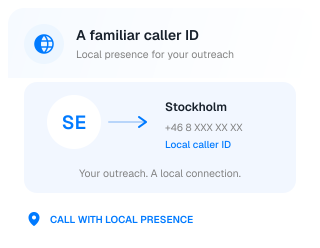
Yes. Configure local presence numbers for your calling workflow so customers see a familiar caller ID. Available numbers and setup depend on the countries you want to call.
Can I control follow-up timing?
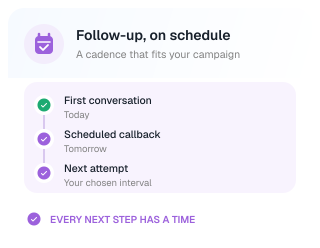
Yes. Set a calling cadence for the project, including when to call contacts and the interval between attempts. Build the schedule around your campaign and team.
How are call outcomes recorded?
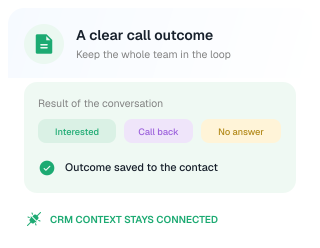
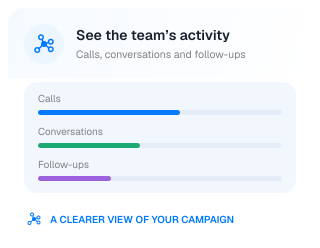
After a call, reps can select a result tag and add relevant notes. Managers can review call activity and outcomes in the dashboard to understand progress and follow-up needs.
Can reps make calls from the browser or a phone?
Yes. Brightcall offers a web calling option and a workflow that connects the call through the rep’s mobile phone. The Brightcall mobile app is also available.
How do we get started with Dialer?
Create a calling project, assign your team, configure the cadence and add contacts. The product video above walks through the setup and starting a calling session.